
WordPress: The perfect tool for MVPs
01.02.2017

According to Lean Startup theory, every entrepreneur should check the assumptions critical to success as quickly as possible - first qualitatively with interviews, then quantitatively with a Minimum Viable Product (MVP). It is important that not too much time is lost programming the MVP, but that initial market tests can be carried out as soon as possible - the goal is to find out early on whether the business model basically works. More experienced developers then use a framework that already provides many default structures and thus enables faster progress.
If you can't code, you now have a problem: Should you try to outsource the development of the MVP? Personally, I think it is important that the founders can control the MVP and adapt it independently, also to improve errors or implement short-term adjustments, without having to rely on external help.
MVP with WordPress
For me it is CMS system WordPress an ideal framework for MVPs with which I have already tried out various business models. WordPress is primarily known as a PHP-based open source blogging software, but in recent years it has increasingly been expanded into a widespread, multilingual content management system with many functions.
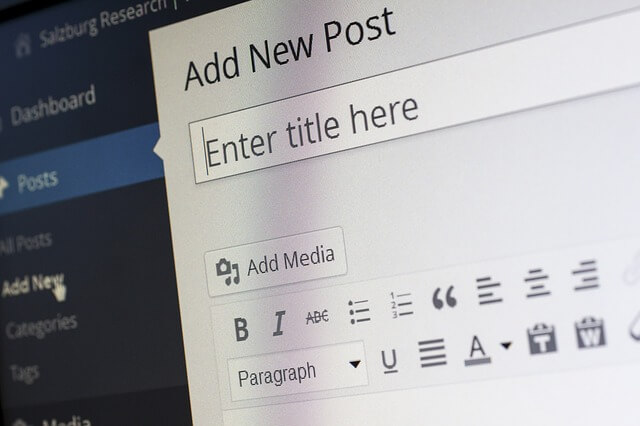
Installing WordPress is very easy: Most hosts offer a ready-made installation routine; alternatively, WordPress can also be downloaded and installed on a web server yourself. For our purposes, hosting is available WordPress.com, the commercial platform of the WordPress publisher Automattic, is not suitable because you cannot install your own themes and plugins there.
After installation, WordPress doesn't look particularly impressive at first: only basic settings can be made in the backend, and the frontend also looks with the standard theme (currently Twenty Seventeen) rather modest.
Themes: Ready-made designs with additional functions
For this reason, the design can be changed with countless themes. You can choose from many free open source themes directly in the backend, which can be customized with your own color schemes, fonts, etc. after installation. With one of these free themes, your WordPress site will look much better.
The problem is that many of these free designs do not have all the necessary functions. Many companies have therefore specialized in developing themes for all possible needs. These can be purchased on a theme marketplace for a few dollars; I always look up Themeforest around. Regardless of whether you want to open a dating website, a shop, a ski school or a marketplace: it is very likely that you can find a pre-made design that can then be adapted.
In theory, these ready-to-use designs can already be used and filled with your own content, but I recommend changing the look and feel in the design settings - after all, you don't want the website to look the same as dozens of others.
Retrofitting with plugins
However, even purchased themes often do not cover all the necessary functions. But someone has already found a solution for the vast majority of requirements and is making it available to the community as a plugin. The open source plugins can be easily installed via the backend. Sometimes not all features are unlocked in the free version, but these can usually be purchased for a handful of dollars.
By default I install the following plugins on all my WordPress sites:
Yoast SEO: Adds many setting options for more search engine friendly texts and pages
Google Analytics by MonsterInsights: Inserts the Google Analytics code so that the success of the MVP can be tracked
Contact Form 7: Simple contact forms that can be used for a variety of purposes
Advanced Custom Fields: Add additional (meta) fields that can be retrieved with simple PHP knowledge
Loco Translate: Since not all plugins and themes have been translated into all languages, missing strings can be translated yourself using this plugin
What should I do if I can't find all the functions?
Every now and then it happens that a theme or plugin cannot be found for all requirements. I then try to find a workaround: Can I use an existing plugin differently for my purposes or adapt it with a few lines of code? A simple Google search often helps: Since WordPress is extremely popular, you can find many tutorials and tips.
If Google doesn't help, you can always hire an external developer. On outsourcing platforms like Upwork WordPress developers can be easily found. It is important, however, that these allow for changes Create child theme, otherwise all changes will be lost with the next update. Some cheap developers forget this every now and then, so you should definitely check in the backend under “Deisgn → Themes” whether a child theme is available.
What are the disadvantages?
Of course, there are also some disadvantages with WordPress. The most important disadvantage is certainly the performance: Due to the many functions of themes and plugins, the system can become very slow. A caching plugin can help, although its correct configuration should be left to an experienced user.
WordPress is very suitable for quickly building an MVP: the basic functions can be clicked together within a few days. However, as soon as it comes to covering complex individual functions, it should be carefully evaluated whether WordPress is still the right framework. Under certain circumstances it may make sense to switch to another platform for scaling.